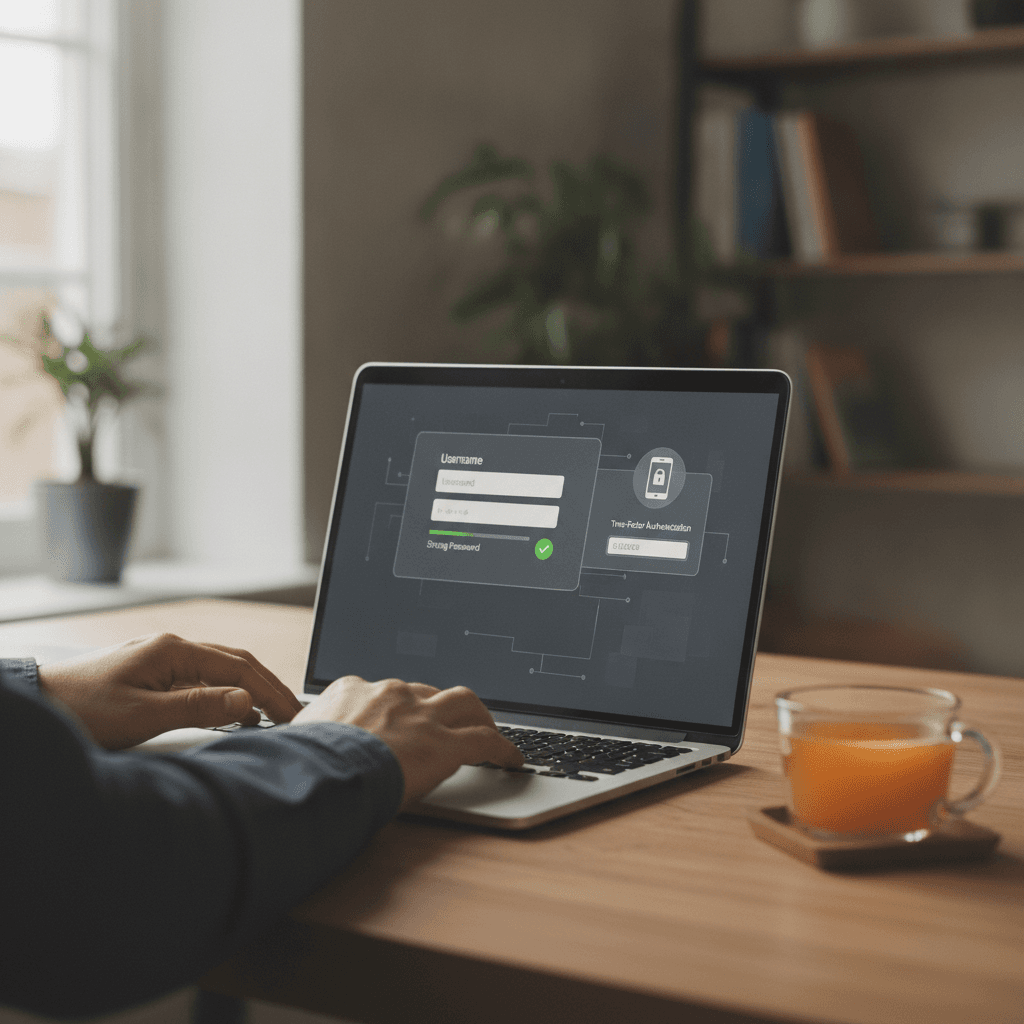
Introduction to Truist Online Banking Security
When you open a browser to access your Truist account, the security of that session starts before you type a single character. The login page you land on, the network you are using, and the device state all shape your exposure to credential theft and account takeover. Many people assume that because the bank uses encryption, their part is simply to remember a password. That assumption leaves gaps.
Truist Online Banking Security is a shared responsibility. The institution maintains policies and procedures designed to ensure access to timely and accurate information, but those policies cannot prevent you from entering credentials on a spoofed page or clicking a link in a phishing email. The threats are not theoretical: credential-harvesting sites mimic real login pages, malware captures keystrokes, and social-engineering calls impersonate bank representatives. Each of these attacks succeeds when a user does not verify what they are interacting with.
This guide covers what to check before logging in, how to recognize when something is wrong, and which settings to enable so that you receive notice of account activity you did not authorize. None of this is legal advice, and none of it guarantees that an attack will fail. What it does is reduce the surface area. You are allowed to ask questions, and you are allowed to take steps that make unauthorized access harder. The widely repeated version of online banking security focuses on password strength; the version that matters more is whether you are handing that password to the right system. Here is what that means in practice, and here is what you can send if something does go wrong.
How Truist Online Banking Security Policies Support Account Access
Financial institutions are required to maintain policies that are reasonably designed to achieve specific objectives, including providing account holders with timely and accurate information. Those policies cover how the servicer handles data, responds to inquiries, and manages access. What they do not cover is the security of the device you use or the network you connect through. If your browser is compromised, or if you enter credentials on a fake page, the bank's internal controls do not prevent the loss. That gap is where user-side security practices come in.
Before you log in, you can verify that the page is genuine, that your connection is encrypted, and that no one is watching over your shoulder—literally or electronically. After you log in, you can enable alerts so that any transaction, login, or profile change generates a notification. If you did not authorize the activity, you know immediately. The clock starts when you notice, and what the law requires in response depends on how quickly you report it. For more on how servicer procedures intersect with account activity and what happens when payments are misapplied, see Mortgage Suspense Accounts: Where Your Short Payment Goes.
The sections that follow walk through the risks, the steps to take, and the settings to enable. Each step is something you can do now, and each one reduces the chance that an attacker successfully accesses your account. There is no all-or-nothing threshold: every verification you add makes the next attack harder.
Understanding the Risks of Online Banking
Online banking puts your account information on a network that other people can reach. The convenience is real, but so is the exposure. When you log in from a device, enter credentials on a page, or authorize a payment, you are creating a record that can be intercepted, copied, or manipulated if the connection is not secure or the page is not legitimate.
The risks fall into a few categories. Phishing is the practice of sending an email or text that looks like it came from your bank, directing you to a fake login page that captures your username and password. Credential theft happens when malware on your device records what you type. Account takeover occurs when someone uses stolen credentials to transfer funds, change your contact information, or lock you out of your own account. These are not theoretical — they happen to a lot of people, and there is no reason you would have known the page was fake or the email was forged unless you checked specific details.
What Happens When Funds Are Authorized but Later Unavailable
A transaction you authorize with sufficient funds in your account can still create a problem if the balance drops before the transaction settles. The authorization checks your balance at one moment; settlement happens later, sometimes days later. If another payment clears in between, or if a hold expires and gets re-applied, the second transaction may find insufficient funds even though you saw enough money when you clicked "confirm." The gap between authorization and settlement is a structural feature of electronic payments, not a mistake on your part.
Why Credential Security Matters for Every Login
Your username and password are the only things standing between your account and anyone who wants to move your money. If someone obtains those credentials, they can log in as you, and the system has no way to know the login is unauthorized until you report it. Two-factor authentication adds a second check — something you have, like a code sent to your phone — so that stealing the password alone is not enough. Without that second factor, a single compromised credential gives full access.
Phishing pages are designed to look identical to the real login screen. The URL may be one character off, or the page may be hosted on a domain that sounds plausible. If you enter your credentials on a fake page, the attacker has them immediately, and you will not know until you see unauthorized activity on your statement. Checking the URL before you type anything is not paranoia; it is the only reliable way to confirm you are on the legitimate site.
Your login credentials are the boundary between your account and anyone who wants access — once those are compromised, the system cannot tell the difference between you and the person using your stolen password.
For help understanding how payments are processed and where funds are held during transitions, see Mortgage Suspense Accounts: Where Your Short Payment Goes.
Steps to Secure Your Truist Online Banking Account
Securing your online banking account is not about perfection — it is about putting barriers between your money and someone who should not have access to it. The steps below are what the account allows you to control. None of them require technical expertise, and all of them reduce the window in which unauthorized activity can succeed.
Use a Strong, Unique Password
Your password is the first line of defense. A strong password is at least twelve characters and includes uppercase letters, lowercase letters, numbers, and symbols. Do not reuse a password from another site — if that site is compromised, your banking credentials are exposed. If remembering multiple passwords is a problem, a password manager stores them securely and generates strong ones automatically.
Change your password immediately if you suspect it has been shared, written down in an accessible place, or used on a device you do not control. There is no waiting period to update it, and doing so locks out anyone who may have obtained the old one.
Enable Two-Factor Authentication
Two-factor authentication adds a second verification step after you enter your password. This is typically a code sent to your phone or generated by an authenticator app. Even if someone obtains your password, they cannot log in without that second piece of information.
Check your account settings to see if two-factor authentication is available and turn it on. Some institutions call it multi-factor authentication or verification code login. The name varies, but the function is the same: it requires something you know (your password) and something you have (your phone or authentication device).
Review and Update Contact Information
Your account statement must include contact information — a toll-free number and, if applicable, an email address you can use to reach the institution. Verify that the email and phone number on file are current. If the institution needs to notify you of suspicious activity, outdated contact information means you will not receive the alert in time to act.
Log in periodically to confirm that your profile shows the correct mailing address, phone number, and email. If you see an address or number you do not recognize, contact the institution immediately using the number on your statement, not a number from an email or text message.
Opt In to Account Alerts
Most institutions allow you to set up alerts for specific account activity: logins from a new device, transactions over a certain dollar amount, password changes, or balance thresholds. These alerts arrive by text or email and give you real-time notice when something happens.
Turn on alerts for any activity that would be unusual for your account. If you rarely make large transfers, set an alert for transfers over a low threshold. If you always log in from the same device, enable the new-device alert. The goal is to know about activity while there is still time to freeze the account or reverse a transaction.
Understand Electronic Statement Delivery
If you receive your account statements electronically, you gave affirmative consent to do so. The institution may send a notification that your statement is available, with a link to where you can view it, rather than sending the statement itself. Once you demonstrate the ability to access statements online — by logging in, viewing the statement, and navigating the site — you may opt out of receiving those notifications. You cannot opt out of statements altogether, but you can choose not to be notified each time a new one is posted.
If you prefer paper statements, contact the institution and request them. There is no requirement that you use electronic delivery, and switching back does not affect your account status. For more on how servicing communication works and what you are allowed to request, see Mortgage Suspense Accounts: Where Your Short Payment Goes.
Monitor Your Outstanding Principal Balance
Your periodic statement includes the amount of your outstanding principal balance. Reviewing this figure each month helps you spot unauthorized transactions or fees that should not be there. If the balance increases when you made no new charges, or if it does not decrease after a payment, contact the institution and ask for an explanation.
Keep a record of your payments and compare them to the balance shown on the statement. If the numbers do not match, you are allowed to ask for a breakdown. Put the request in writing and keep the tracking number.
Tips and Tricks for Safe Online Banking
Securing your account goes beyond the initial setup. The way you interact with your account day to day determines whether a credential stays safe or becomes exposed. These practices apply whether you are checking a balance, reviewing a transaction, or responding to a notification that a statement is ready.
Verify Before You Click
When you receive a notification that your statement is available, the link in that message should take you to a domain you recognize. If the URL looks unfamiliar or includes extra characters, open your browser separately and navigate to the login page directly rather than clicking through. This happens to a lot of people: a message arrives, the link looks plausible, and the page it opens asks for credentials before you notice the domain is wrong.
Bookmark the official login page after you verify it once. Use that bookmark every time. If a message claims to be from your institution and asks you to log in via a link, treat it as suspicious until you confirm the destination independently.
Monitor Your Account Activity Regularly
Check your transaction history at least once a week. Look for amounts you do not recognize, merchants you did not visit, and dates that do not match your records. If you see a charge you did not authorize, you can send a notice of error to the servicer. The clock starts when they receive your written notice, and they have to respond within the timeframe the regulation requires.
Set up account alerts if your institution offers them. An alert that notifies you of every transaction over a certain dollar amount, every login from a new device, or every change to contact information gives you a narrow window to act before a problem grows. These alerts arrive by email or text; choose the method you check most often.
Understand Electronic Statement Consent
When you agree to receive statements electronically, you are consenting to access them through the institution's portal rather than receiving paper copies by mail. Any consumer who is currently receiving disclosures for any account electronically from their servicer is deemed to have consented to receiving e-statements in place of paper statements. This is called presumed consent.
If you prefer paper, you can revoke electronic delivery. If you stay electronic, check the portal regularly. A statement that sits unreviewed for weeks gives unauthorized activity more time to compound. The notification that a statement is ready is not the statement itself—it is a prompt to log in and retrieve it.
The notification that a statement is ready is not the statement itself—it is a prompt to log in and retrieve it.
Keep Your Contact Information Current
If your email address, phone number, or mailing address changes, update your profile immediately. Alerts and notices go to the contact information on file. If that information is outdated, you will not receive warnings about suspicious activity, password resets, or statement availability. A delay in receiving these messages can mean a delay in catching a problem.
When you update contact information, the institution may send a confirmation to both the old and new addresses. If you receive a confirmation you did not request, that is a signal that someone else attempted to change your details. Contact the institution directly using a number you look up yourself, not one provided in the unexpected message.
What to Do If You Suspect Unauthorized Access
If you see a login from a location you do not recognize, a device you have never used, or a transaction you did not authorize, act immediately. Change your password, review your recent activity, and contact the institution to report the issue. Put the report in writing and keep the tracking number. If the institution's response is inadequate or arrives outside the required window, you have options for escalation, including filing a complaint with the appropriate regulator.
For mortgage accounts, understanding where your payments go is part of monitoring your account effectively. If you see a payment coded in a way that does not match your records, you can learn more about mortgage suspense accounts and where your short payment goes to understand what that line means.
Conclusion: Staying Safe with Truist Online Banking
Truist Online Banking Security depends on what you do before you log in, not just the password you enter. Verify the URL, check for the lock icon, and confirm you are on the real Truist site before typing credentials. These steps take seconds and prevent most phishing attempts.
Your statement carries a toll-free number and an electronic mailing address on the front page; use those contact points when something looks wrong. If a transaction appears that you did not authorize, or if you receive a notification about activity you did not initiate, call the number on the statement rather than clicking a link in an email. The statement contact information is verified; an email link may not be.
Monitor your account regularly. Consumers who demonstrate the ability to access statements online—by receiving a notification, viewing the statement on the website, and selecting a link there—can opt out of future notifications, but they cannot opt out of periodic statements altogether. Checking your statement each cycle is a right and a safeguard; it shows you what posted and what did not.
There is no reason you would have known every phishing tactic or spoofed domain in advance. What matters is that you verify each time, enable alerts for the activity that matters, and keep the contact information from your statement where you can reach it. These are rights, not favours, and they work when you use them consistently.