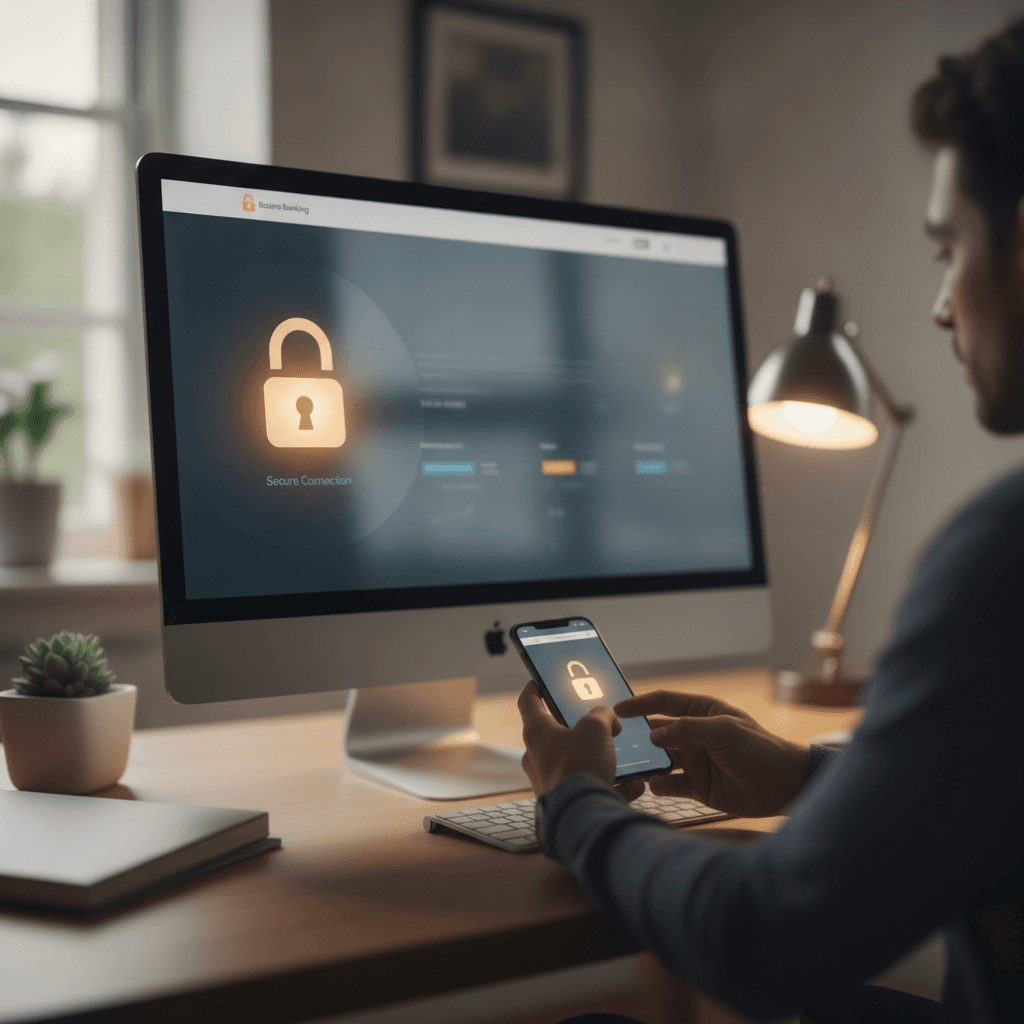
Introduction
Online banking puts your account activity on a screen, but it also puts your account in reach of anyone with your credentials. The convenience is real, and so is the risk. A compromised password, a spoofed email, or a device you thought was secure can lead to unauthorized transactions that appear on your statement before you know anything happened.
When it comes to online banking, understanding the security features offered by digital platforms is crucial. One common misconception is that certain security measures guarantee complete protection, but this isn't always the case. Some users believe that a specific type of alert or notification will automatically prevent unauthorized transactions—the reality is that these features are more about informing you of potential issues rather than stopping them outright.
The term of art is "account monitoring," not "account prevention." Your bank's fraud detection system may flag a suspicious charge, but by the time you receive the alert, the transaction has often already posted. What you do next—how quickly you report it, what documentation you keep, and whether you follow the dispute procedure in writing—determines whether the money comes back. This article walks through twelve mechanisms that reduce your exposure and clarify what each one actually does. If you are also managing mortgage servicing issues, understanding how payments are applied and tracked is equally important; mortgage suspense accounts explain where a short payment goes when it does not immediately post to your loan balance.
There is no reason you would have known which features are preventive and which are reactive. The marketing language used by financial institutions often blurs that line. What follows is a breakdown of what each security step does, what it does not do, and how to use it correctly.
The Problem of Online Banking Security
When you log in to check a balance or transfer funds, the transaction moves through multiple systems — each one a potential point where information can be intercepted or credentials can be captured. Online banking security is not a single lock on a single door; it is a chain of handoffs between your device, your network, and the institution's servers. A weakness anywhere in that chain creates an opening.
The threats are not theoretical. Account takeover happens when someone obtains your login credentials and uses them to move money, change contact information, or apply for credit in your name. Phishing arrives as an email or text that mimics your bank, directing you to a fake login page that harvests your username and password the moment you type them. Malware installed on your device can record keystrokes, capture screenshots, or redirect you to a fraudulent site without your knowledge. Public Wi-Fi networks, especially those without encryption, allow anyone with basic packet-sniffing tools to see what you transmit — including login sessions.
What Happens When a Breach Occurs
The immediate consequence of a security breach is financial loss. Funds transferred out of your account may be recoverable, but the process is not instant. You will need to file a dispute, provide documentation, and wait while the institution investigates. During that window, bills may go unpaid, checks may bounce, and your credit file may reflect missed payments if automatic debits fail.
Beyond the direct loss, a breach often means identity theft. Once someone has access to your banking login, they can see your account number, routing number, transaction history, and linked accounts. That information is enough to open new accounts, file fraudulent tax returns, or apply for loans in your name. Cleaning up identity theft takes months — sometimes years — and requires correspondence with multiple institutions, credit bureaus, and sometimes law enforcement.
There is also reputational harm. If your compromised account is used to send fraudulent payments or issue bad checks, the recipients may pursue you for recovery. Even after you prove the transactions were unauthorized, the record of the dispute can linger. For anyone managing mortgage suspense accounts or short payments, a disruption in automatic transfers can create servicing confusion that takes multiple billing cycles to resolve.
The Mechanisms Attackers Use
Phishing campaigns rely on urgency and familiarity. The message claims your account is locked, a payment failed, or suspicious activity was detected — and you must click a link immediately to resolve it. The link leads to a page that looks identical to your bank's login screen. You enter your credentials, and the attacker captures them in real time.
Keyloggers and screen-capture malware operate silently. You may install them unknowingly by clicking a malicious ad, opening an infected email attachment, or downloading software from an unverified source. Once installed, the malware records everything you type or displays and transmits it to a remote server. Even if you use complex passwords, the malware captures them as you enter them.
Man-in-the-middle attacks exploit unsecured networks. When you connect to public Wi-Fi and log in to your bank, an attacker on the same network can intercept the data traveling between your device and the router. If the connection is not encrypted, the attacker can read your credentials, session tokens, and account details.
The weakest link is often not the bank's server — it is the moment your credentials leave your device and travel across a network you do not control.
Why Standard Precautions Are Not Enough
Many people assume that because their bank offers fraud monitoring, they are protected. Fraud monitoring detects unusual patterns after they occur — it does not prevent the initial breach. By the time an alert reaches you, the unauthorized transaction may already be pending or completed. Alerts are informative, not preventive; they tell you something happened, but they do not stop it from happening.
Similarly, a strong password alone is insufficient if you reuse it across multiple sites. A data breach at an unrelated service can expose that password, and attackers routinely test leaked credentials against banking sites. Two-factor authentication adds a layer of defense, but even that can be bypassed if an attacker intercepts the second factor through SIM swapping or phishing.
The assumption that "it won't happen to me" is the most dangerous one. Attackers do not target only high-net-worth individuals; they target anyone whose credentials are easier to obtain than the effort required. Automated tools scan for vulnerabilities at scale, and a single lapse — clicking one link, using one unsecured network — can be enough.
12 Ways to Keep Your Online Banking Account Safe
Protecting your online banking account requires a layered approach. No single measure guarantees complete protection, but combining multiple practices significantly reduces your exposure to unauthorized access and fraud. Here are twelve actionable steps you can take.
1. Use Strong, Unique Passwords
Create a password that is at least twelve characters long and includes a mix of uppercase letters, lowercase letters, numbers, and symbols. Avoid using the same password across multiple accounts. If one service is compromised, a unique password keeps your banking credentials isolated. Password managers can generate and store these credentials securely.
2. Enable Multi-Factor Authentication
Multi-factor authentication (MFA) adds a second verification step beyond your password. This typically involves a code sent to your phone, an authenticator app, or a biometric scan. Even if someone obtains your password, they cannot access your account without the second factor.
3. Monitor Your Account Activity Regularly
Check your transaction history at least weekly. Look for charges you do not recognize, no matter how small. Fraudulent activity often starts with small test transactions. The sooner you identify and report suspicious activity, the faster your institution can respond.
Alert features inform you of potential issues; they do not stop unauthorized transactions outright.
4. Set Up Account Alerts
Most banks offer customizable alerts for specific activities: withdrawals over a certain amount, password changes, or login attempts from new devices. These notifications arrive via text or email. While alerts do not prevent fraud, they give you real-time information so you can act quickly. Understanding what each alert does—and what it does not do—is essential.
5. Avoid Public Wi-Fi for Banking Transactions
Public networks in coffee shops, airports, and hotels are not encrypted. Anyone on the same network can potentially intercept your data. If you must access your account while traveling, use your phone's cellular data or a trusted virtual private network (VPN) that encrypts your connection.
6. Keep Your Devices Updated
Operating system updates and app updates often include security patches that address newly discovered vulnerabilities. Enable automatic updates on your phone, tablet, and computer. An outdated device is an easier target for malware and exploits.
7. Install Reputable Security Software
Antivirus and anti-malware programs scan for threats that could capture your login credentials or install keyloggers. Choose software from a recognized vendor, keep it updated, and run regular scans. Free versions often provide basic protection; paid versions offer additional features like real-time monitoring.
8. Verify Website and App Authenticity
Before entering your credentials, confirm you are on your bank's official website. Check the URL for misspellings or extra characters. Look for "https://" and a padlock icon in the address bar. When downloading your bank's app, use only the official app store and verify the publisher name matches your institution.
9. Be Cautious with Emails and Text Messages
Banks rarely ask you to verify account information via email or text. If you receive a message requesting your password, account number, or Social Security number, do not respond. Contact your bank directly using the phone number on your statement or card—not the number in the message.
10. Log Out After Each Session
Simply closing the browser tab does not always end your session. Use the "Log Out" or "Sign Out" button every time you finish banking. This is especially important on shared or public computers. If you walk away without logging out, the next user may access your account.
11. Review Your Credit Report
Unauthorized account openings sometimes appear on your credit file before you notice them elsewhere. You are entitled to a free credit report from each of the three major bureaus once per year. Review these reports for accounts you did not open or inquiries you did not authorize. If you find errors, you can dispute them directly with the bureau and the furnisher.
For guidance on managing discrepancies that may affect your financial records, see Mortgage Suspense Accounts: Where Your Short Payment Goes.
12. Maintain Reasonable Policies and Procedures for Your Own Records
Just as financial institutions are expected to maintain policies reasonably designed to ensure timely and accurate information access, you can adopt a similar discipline for your own records. Keep a log of your account access, note when you change passwords, and document any suspicious activity you report. This creates a reference trail if you need to dispute a transaction or respond to a notice from your bank.
Tips and Tricks for Enhanced Online Banking Security
Beyond the basic steps, there are additional practices that can strengthen your online banking security. These are not formal requirements, but they reflect what happens when people treat their login credentials and account access with the same care they bring to physical documents. The goal is to reduce the surface area where something can go wrong.
Understand What Alerts Actually Do
Many institutions offer transaction alerts and login notifications. These features inform you when activity occurs—they do not stop unauthorized transactions before they post. An alert tells you that a transfer happened or that someone logged in; it does not block the event. This is similar to how, in credit reporting, a notification about a disputed field tells you the bureau received your letter, but it does not guarantee correction. You still have to review the alert and act if something looks wrong.
Set up alerts for every login, every transfer above a threshold you choose, and every password change. Check them when they arrive. If you see an alert for activity you did not initiate, contact the institution immediately using the phone number on your statement, not a number in the alert itself.
Keep Your Contact Information Current
If your phone number or email address on file is outdated, you will not receive alerts, password-reset links, or notices about suspicious activity. Log in periodically and verify that the contact information the institution has matches where you actually receive messages. This happens to a lot of people after a move or a phone-number change—the old number stays in the system, and the alerts go nowhere.
When you update contact information, you may receive a confirmation message at both the old and new address. That is normal. If you receive a confirmation you did not request, contact the institution right away.
Review Your Statements and Transaction History Regularly
Your statement is the record of what posted to your account. Review it at least monthly, and compare it to your own records of transfers, bill payments, and purchases. If you see a transaction you do not recognize, investigate it before assuming it is fraud—sometimes a merchant name on the statement does not match the store name you remember.
If you confirm that a transaction is unauthorized, report it to the institution in writing. Keep the tracking number if you send a letter, and keep a copy of any email or secure message you send through the platform. The institution has specific response windows under federal rules, and your written notice starts the clock.
Use a Dedicated Device or Browser Profile When Possible
If you have a device you use only at home, consider using it exclusively for online banking. This reduces the chance that malware picked up on a public network will capture your login. If a dedicated device is not practical, many browsers let you create separate profiles. You can use one profile for banking and another for general browsing. Extensions, cookies, and saved passwords stay in their own profile, and you reduce cross-contamination.
When you finish a banking session, log out completely rather than closing the tab. Logging out clears the session token, so even if someone gains access to your device later, they cannot resume your session.
Be Cautious With Public Wi-Fi
Public networks—coffee shops, airports, hotels—are not encrypted by default, and other users on the same network can sometimes intercept traffic. If you must use online banking on public Wi-Fi, connect through a virtual private network (VPN) first. A VPN encrypts your traffic between your device and the VPN server, so other users on the public network cannot read it.
If you do not have a VPN and you are on public Wi-Fi, avoid logging in to your bank account. Wait until you are on a trusted network. If an urgent transaction cannot wait, use your phone's cellular data instead of the public Wi-Fi.
Monitor Your Credit Report for New Accounts
Unauthorized bank accounts sometimes appear alongside other fraudulent activity. If someone has enough information to open a deposit account in your name, they may try to open credit accounts too. You are entitled to a free credit report from each of the three bureaus once per year. Stagger your requests—pull one report every four months—so you have visibility throughout the year.
If you see an account you did not open, file a dispute with the bureau and contact the institution that furnished the account. The field you are disputing is the account itself; state that you did not open it and that you do not recognize it. The bureau has a reinvestigation window, and the furnisher has duties under the Fair Credit Reporting Act. For more on how disputes interact with account servicing, see Mortgage Suspense Accounts: Where Your Short Payment Goes, which explains how institutions track and apply payments that do not match expected amounts.
An alert tells you something happened; it does not stop it from happening.
Avoid Reusing Passwords Across Accounts
If you use the same password for your bank, your email, and an online retailer, a breach at the retailer can compromise your bank account. Attackers try stolen passwords across multiple sites. A password manager generates and stores unique passwords for each account, so a breach at one site does not unlock the others. Most password managers encrypt your vault with a master password; you remember one strong password, and the manager handles the rest.
When you set up a password manager, enable two-factor authentication on the manager itself. That way, even if someone learns your master password, they cannot access the vault without the second factor.
Know What to Do If You Suspect Compromise
If you believe someone has accessed your account, act immediately. Log in and change your password. If you cannot log in because the password has been changed, contact the institution using the phone number on your statement or debit card. Report the suspected compromise in writing as soon as you can, and ask for a written confirmation that they received your report.
Review recent transactions and identify any that you did not authorize. The institution will walk you through their dispute process. Federal rules set timelines for provisional credit and final resolution, but those timelines start when you report the problem. Waiting to see if more transactions appear gives the attacker more time.
If you filed a report and the institution's response is inadequate, you can escalate. Complaints about deposit accounts typically go to the Consumer Financial Protection Bureau or your state banking regulator, depending on the institution's charter. The regulator does not act as your lawyer, but complaints create a record and may prompt the institution to review the case again.
Keep Software and Operating Systems Updated
Security patches close vulnerabilities that attackers exploit. When your operating system or browser prompts you to install an update, do it. Delaying updates leaves known holes open. This applies to your phone, your computer, and any tablet you use for banking.
If an update requires a restart, restart as soon as you can. Many updates do not take full effect until the system reboots. Automatic updates are the default on most devices now; if you turned them off, turn them back on.
Verify Before You Click
Phishing messages imitate legitimate institutions. They create urgency—your account will be closed, your password expired, your payment failed—and they include a link. The link goes to a fake login page that captures your credentials. Before you click any link in an email or text message, verify that the message is real. Log in to your account by typing the institution's URL into your browser, not by clicking the link in the message. If there is a real problem, you will see it when you log in.
Legitimate institutions do not ask for your password, your full account number, or your Social Security number in an email. If a message asks for that information, it is not legitimate.
Review Authorized Users and Linked Accounts Periodically
If you added a joint owner, an authorized user, or a linked external account, review that list periodically. Remove access for anyone who no longer needs it. If you linked an external account for a one-time transfer and you do not plan to use it again, unlink it. Each authorized user and each linked account is a potential entry point.
When you remove an authorized user, confirm that their access is fully revoked. Some institutions require a separate step to disable online access even after you remove the user from the account.
Conclusion
Online banking security is not a set-it-and-forget-it arrangement. The steps described in this article — strong passwords, two-factor authentication, monitoring your statement, recognizing phishing, keeping software current, and the rest — work together. No single measure guarantees complete protection, but layering them makes unauthorized access much harder and gives you earlier notice when something goes wrong.
Understanding what each security feature actually does is as important as turning it on. An alert tells you a transaction occurred; it does not stop the transaction. A password manager stores credentials securely; it does not audit your login history. When you know what a feature can and cannot do, you make better decisions about which tools to use and how often to check your account. This is similar to how, in credit reporting, the duty under Reg V focuses on the accuracy of furnished information rather than the fairness of the underlying charge — the mechanism does what it says, not what you might hope it does.
If you are managing other financial obligations that involve regular statement review, the same discipline applies. For example, understanding mortgage suspense accounts and where your short payment goes requires the same attention to transaction coding and timing that keeps your online banking secure. Proactive monitoring and a clear understanding of each feature's limitations are what keep your account safe. Review your settings now, enable the protections your institution offers, and check your activity regularly. You were not careless — you are taking the steps that reduce risk.